RIFTSTORM Performance Settings
Early Access optimization tips—including the Thread Count workaround Confiction Labs recommends for high core-count CPUs.
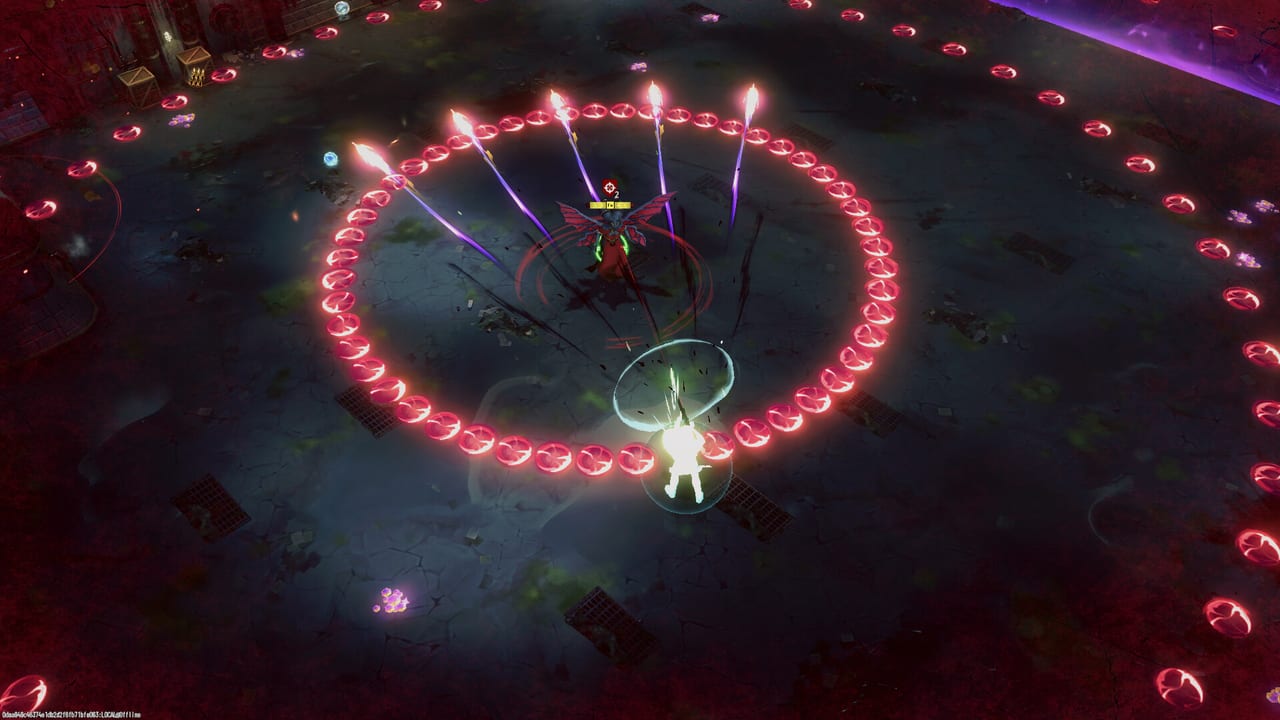
RIFTSTORM entered Steam Early Access on August 11, 2026 with solid gunplay but known performance rough edges—especially on high core-count CPUs and some laptops after the tutorial. Confiction Labs has publicly acknowledged multithreading issues and recommends a temporary Thread Count setting change while a proper fix ships. This guide collects live-EA workarounds, how they interact with official System Requirements, and what to try before you blame your GPU.
The embedded launch trailer shows the combat density your PC must sustain during elite spikes and co-op ability spam—use it as a visual baseline for when stutter feels abnormal versus intentional chaos.
Thread Count workaround (official)
Launch-week reports—and Confiction Labs’ own Steam news—describe severe stutter or single-digit FPS after the tutorial or during mission loads on CPUs with many cores. The current workaround:
- Open Settings in-game.
- Find Thread Count (often defaulted to Auto).
- Set Thread Count to 2 manually.
- Restart the mission or relaunch if stutter persists.
Review coverage notes this can restore stable frame pacing on otherwise high-end systems—for example returning from slideshow stutter to roughly 80 FPS at ultrawide resolutions once threads are capped. This is a temporary EA measure, not a permanent graphics preset. Re-test Auto after major patches; developers intend to fix root multithreading rather than leave everyone on two threads forever.
If you only change one setting after install, change this one first when post-tutorial performance collapses.
Symptoms that match the thread issue
- Smooth tutorial, then sudden stutter entering the hub or first real mission
- Massive FPS drops during loads despite unchanged graphics settings
- High-end CPU (many cores) with GPU utilization oddly low
- Co-op sessions fine for one player, stutter tied to host machine CPU
If symptoms differ—constant stutter from minute one, online-only disconnects—also read network guidance below.
Baseline hardware checklist
Official Early Access specs live on the System Requirements page. Practical launch-week defaults:
| Check | Why it matters |
|---|---|
| Install on SSD | Steam lists SSD recommended; reduces zone hitches |
| 16 GB RAM | 12 GB minimum is tight with Discord + browser open |
| Latest GPU driver | Stability during dense Mythic fights |
| Wired Ethernet | Always-online title; Wi-Fi spikes abort missions |
| Close background capture | Co-op ability spam is CPU-sensitive even after thread fix |
Graphics settings philosophy
RIFTSTORM is top-down readability first. Lower shadows and post-processing before you drop resolution if dodges become unreadable. Threat 2+ co-op with three ultimates active is a CPU spike even on recommended GPUs—Thread Count 2 often matters more than turning every slider to Low.
Steam Deck and handheld players report the same post-tutorial collapse; manual Thread Count 2 is the first fix there as well before aggressive TDP tuning.
Network and always-online stability
RIFTSTORM requires an active connection even for solo play. Preview and launch-week impressions note that connection drops can end a mission abruptly—distinct from Weapon Scarring from combat failure. Prefer wired networking for Lobby Invite Codes nights; avoid VPNs that add latency spikes.
If a disconnect happens mid-mission, relaunch promptly—co-op groups may receive continue options depending on session state; solo runs may cancel without scarring penalties in some crash cases, but treat disconnects as avoidable failures.
Easy Anti-Cheat and CPU usage
Some players report Easy Anti-Cheat competing for CPU time on certain Windows setups. If Thread Count 2 helps but periodic hitching remains:
- Verify game files through Steam
- Run the Easy Anti-Cheat repair tool from the install folder
- Ensure Windows Defender is not aggressively scanning the game directory during play
Do not disable anti-cheat—unsupported and risks account issues.
When to wait for patches instead of tweaking
Early Access explicitly includes performance work for 18–24 months. If Thread Count 2 restores playable FPS, stay on it and file structured feedback on Steam discussions. If hardware sits below minimum specs, no workaround replaces upgrading GPU or RAM—use the Demo to stress-test before buying the full app.
Track optimization notes on the Roadmap and Steam news alongside content beats like the Armory Update.
Related pages
- System Requirements — Official minimum and recommended tables
- Early Access Overview — Launch scope and EA caveats
- Controls — Input lag versus FPS issues
- How to Co-op — Host selection when CPU-bound
Frequently Asked Questions
Quick answers to the most common RIFTSTORM questions.
How do I fix RIFTSTORM stutter after the tutorial?
Open Settings, set Thread Count to 2 instead of Auto, then retry. Confiction Labs confirmed this workaround for multithreading issues on high core-count CPUs during Early Access.
Where is Thread Count in RIFTSTORM settings?
Inside the in-game Settings menu. Switch from Auto to 2 if you see post-tutorial FPS collapse or load hitching.
Does Thread Count 2 hurt visual quality?
No—it limits CPU worker threads, not texture or shadow quality. Adjust graphics separately if you need higher fidelity once FPS is stable.
Will Confiction Labs fix performance permanently?
Yes—Steam Early Access messaging treats performance as ongoing work. Re-test Auto settings after major patches noted in Steam news.
Do I need an SSD for RIFTSTORM?
Steam recommends SSD for both minimum and recommended tiers. See System Requirements for full tables.