RIFTSTORM System Requirements
Minimum and recommended PC specs for live Steam Early Access—including Thread Count workaround, demo differences, and SSD guidance.
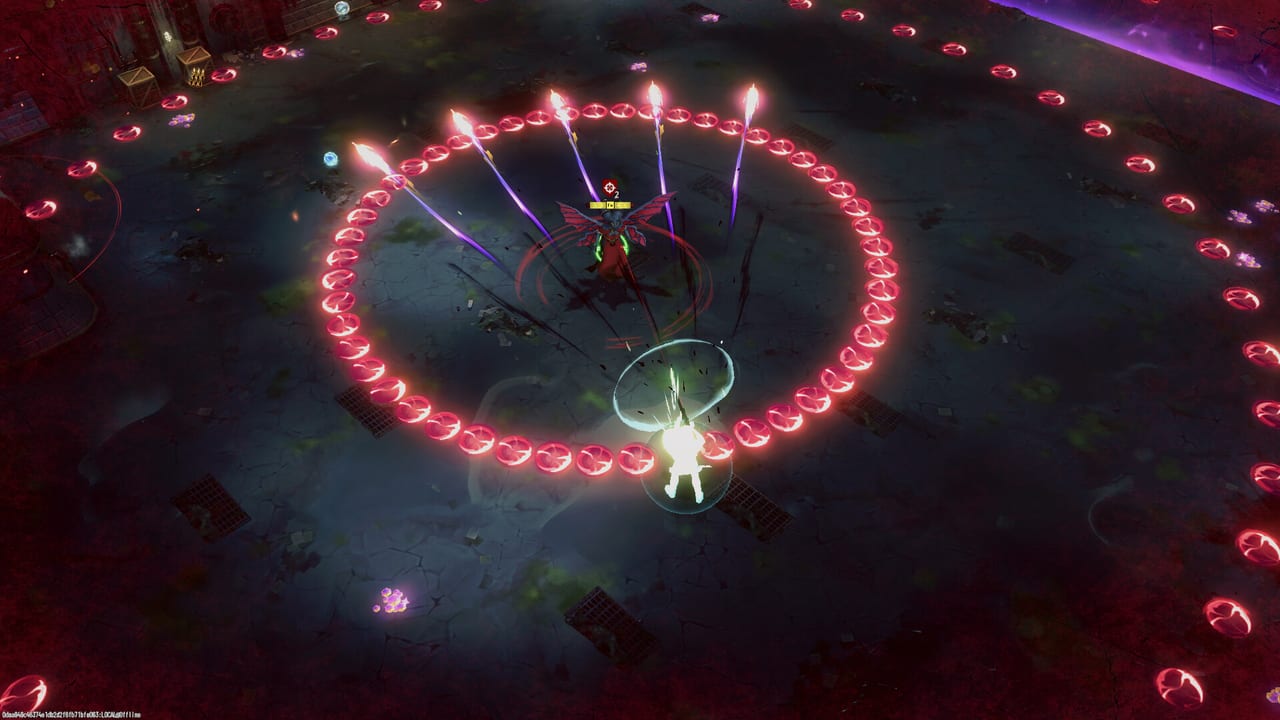
RIFTSTORM is live in Steam Early Access on Windows PC as of August 11, 2026. Before you install—or if you played the Steam demo and wonder why the full app feels heavier—verify your hardware against official specs and launch-week performance notes. Underpowered hardware struggles most in survival-extraction demo missions like Operation 1411 and in late-wave extract defenses where frame drops translate to failed dodges and Weapon Scarring on the full game.
Full game specifications (Steam Early Access)
These are the RIFTSTORM main app (2282790) requirements listed on Steam for Early Access:
Minimum requirements
| Component | Specification |
|---|---|
| OS | Windows 10/11 64-bit |
| CPU | Intel Core i3 Gen 10 |
| RAM | 12 GB |
| GPU | NVIDIA GTX 1050 |
| Storage | 15 GB available space |
| Notes | SSD recommended (listed under Additional Notes) |
Recommended requirements
| Component | Specification |
|---|---|
| OS | Windows 10/11 64-bit |
| CPU | Intel Core i5 Gen 12 |
| RAM | 16 GB |
| GPU | NVIDIA RTX 3060 |
| Storage | 15 GB available space |
| Notes | SSD recommended |
All tiers require a 64-bit processor and operating system. RIFTSTORM ships Windows Early Access only on Steam at launch—check the store page for future platform news.
Thread Count performance workaround (launch week)
Separate from minimum specs: many high core-count CPUs hit severe stutter after the tutorial when Thread Count stays on Auto. Confiction Labs recommends setting Thread Count to 2 in in-game Settings until multithreading is fixed. Full steps and symptom list live on Performance Settings. This workaround can matter more than dropping shadow quality on otherwise recommended hardware.
How to read minimum vs recommended
Minimum targets 1080p play at reduced settings with acceptable frame rates in standard PADDOCK Contingency Threat 1 content. Preview impressions note stutter on burly hardware during pre-release builds—optimization continues through Early Access.
Recommended targets smoother combat during co-op ability spam, higher Threat Level missions, and extract waves with dense enemy counts. If you plan trio co-op with voice chat, browser overlays, and capture software, headroom above recommended reduces connection-adjacent frustration in an always-online title.
SSD emphasis
Both spec tiers list SSD recommended despite HDD technically meeting storage size. Install on SSD because:
- Zone loading between mission phases stays shorter
- Texture streaming hiccups reduce mid-fight stutter
- Always-online sessions punish long loads when squad waits at deployment gate
15 GB is install footprint at Early Access launch—future content patches will grow the client. Keep spare space for Steam updates.
Demo specifications (separate Steam app)
The RIFTSTORM Demo (3212570) lists slightly different requirements:
Demo minimum
| Component | Specification |
|---|---|
| OS | Windows 10/11 64-bit |
| CPU | Intel Core i3 Gen 8 |
| RAM | 12 GB |
| GPU | GTX 1050 |
| Storage | 8 GB available space |
| Notes | SSD recommended |
Demo recommended
| Component | Specification |
|---|---|
| OS | Windows 10/11 64-bit |
| CPU | Intel Core i3 Gen 10 |
| RAM | 16 GB |
| GPU | GTX 3050 |
| Storage | 8 GB available space |
| Notes | SSD recommended |
Demo specs are not a substitute for Early Access planning—full game recommended tier jumps to i5 Gen 12 + RTX 3060. If demo runs well on minimum but thermal-throttles during Operation 1411, expect Early Access Threat 2+ to demand upgrades.
Component guidance
CPU
Co-op PvE with procedural spawns stresses CPU when elites stack Lythogram effects. Gen 10 i3 meets minimum; Gen 12 i5 recommended gives headroom for background apps during How to Co-op sessions.
RAM
12 GB minimum is tight on Windows 11 with Discord and browser open. 16 GB recommended is practical default for trio voice + Steam overlay.
GPU
GTX 1050 minimum runs reduced settings; RTX 3060 recommended enables higher post-processing without sacrificing dodge readability. Readability matters more than cinematic sliders—see Controls dodge timing.
Network
Not listed on Steam spec tables but critical: stable low-latency internet for always-online play. Connection drops can abort missions per preview coverage—wired Ethernet beats Wi-Fi for launch night Lobby Invite Codes sessions.
Pre-launch hardware checklist
| Check | Pass criteria |
|---|---|
| OS | Windows 10/11 64-bit updated |
| Install drive | SSD with 20+ GB free |
| RAM | 16 GB preferred |
| GPU driver | Latest NVIDIA branch |
| Network | Stable wired connection tested |
| Thread Count | Set to 2 if post-tutorial stutter |
| Demo or EA trial | Operation 1411 or Threat 1 acceptable FPS |
Related pages
- Performance Settings — Thread Count workaround and network tips
- Early Access Overview — Launch content scope
- Demo Overview — Demo install and mission stress tests
- Review Hub — Buying guidance index
- Getting Started — Gameplay after specs pass
Hardware requirements may change during the 18–24 month Early Access window. Re-check Steam before major content updates.
Frequently Asked Questions
Quick answers to the most common RIFTSTORM questions.
What are RIFTSTORM minimum PC requirements?
Windows 10/11 64-bit, Intel Core i3 Gen 10, 12 GB RAM, GTX 1050, 15 GB storage. SSD is recommended.
What are the recommended specs?
Windows 10/11 64-bit, Intel Core i5 Gen 12, 16 GB RAM, RTX 3060, 15 GB storage with SSD recommended.
Do I need an SSD for RIFTSTORM?
Steam lists SSD as recommended for both minimum and recommended tiers. Installing on SSD reduces load stutter.
Are demo requirements different from the full game?
Yes. The demo allows slightly lower CPU tiers and 8 GB storage, but Early Access recommended specs target i5 Gen 12 and RTX 3060.
Does RIFTSTORM support macOS or Linux?
Steam Early Access at launch documents Windows only. Check the store page for platform updates during EA.
How do I fix stutter on a strong CPU?
Set Thread Count to 2 in Settings. See Performance Settings for the official Early Access workaround.